Temporal Platform production deployments
To take your application to production, you'll need to deploy the following components:
-
Your application code, including your Workflows, Activities, and Workers, on your infrastructure using your existing build, test and deploy tools.
-
A production-ready Temporal Service to coordinate the execution of your Workflows and Activities.
- You can use Temporal Cloud, a fully managed platform, or you can self-host the service.
If you're still developing and testing your application locally, you may not need a production Temporal Service. Use the Temporal CLI development server — a single binary with no external dependencies:
temporal server start-dev
This starts a complete Temporal Service with Web UI on your local machine. We recommend this for local development regardless of whether you plan to use Temporal Cloud or self-host in production. See the Temporal CLI server page for configuration options.
Use Temporal Cloud
You can let us handle the operations of running the Temporal Service, and focus on your application. Follow the Temporal Cloud guide to get started.
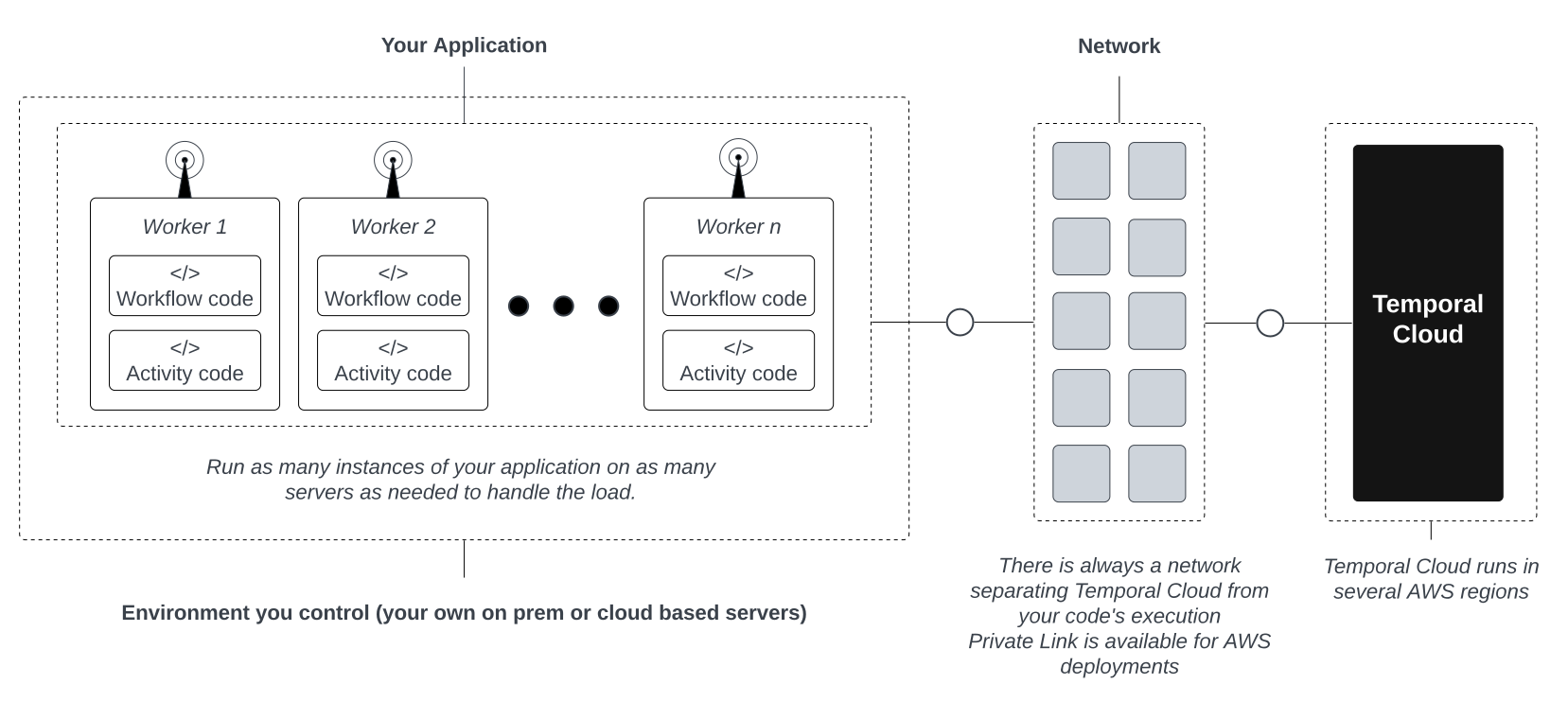
Connect your application instances to Temporal Cloud
Run a Self-hosted Temporal Service
Alternatively, you can run your own production level Temporal Service to orchestrate your durable applications. Follow the Self-hosted guide to get started.
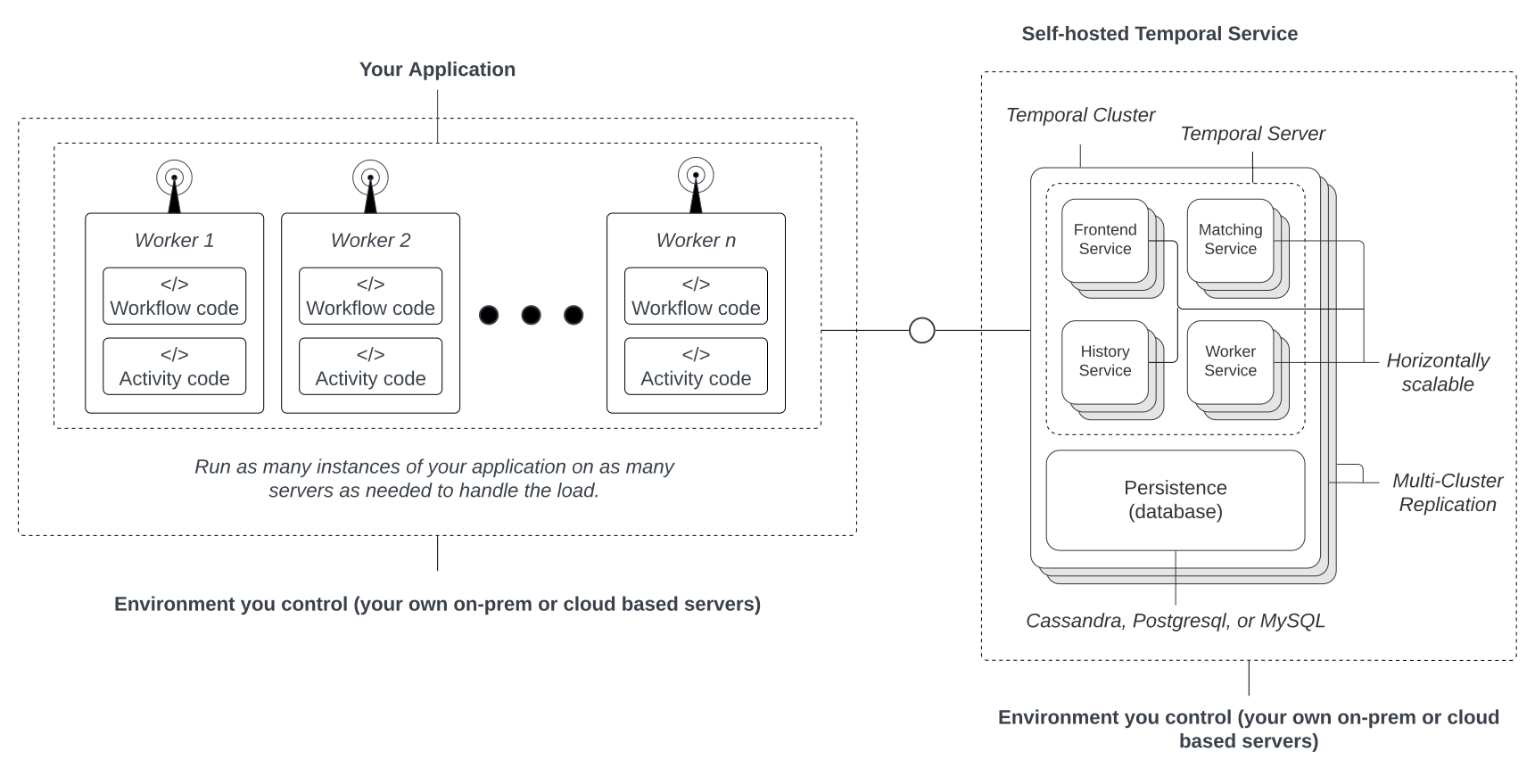
Connect your application instances to your self-hosted Temporal Service
Worker deployments
Whether you're hosting with Temporal Cloud or on your own, you have control over where to run and scale your Workers. We provide guidance on Worker Deployments.